In order to initiate conversations with WhatsApp you must send messages using an approved template. Templates fit into one of the following three categories:
Meta require the use of an approved template to maintain quality and consistency of messages on it's platform. Messente, Messaging Made Easy's messaging partner, currently supports the following template features:
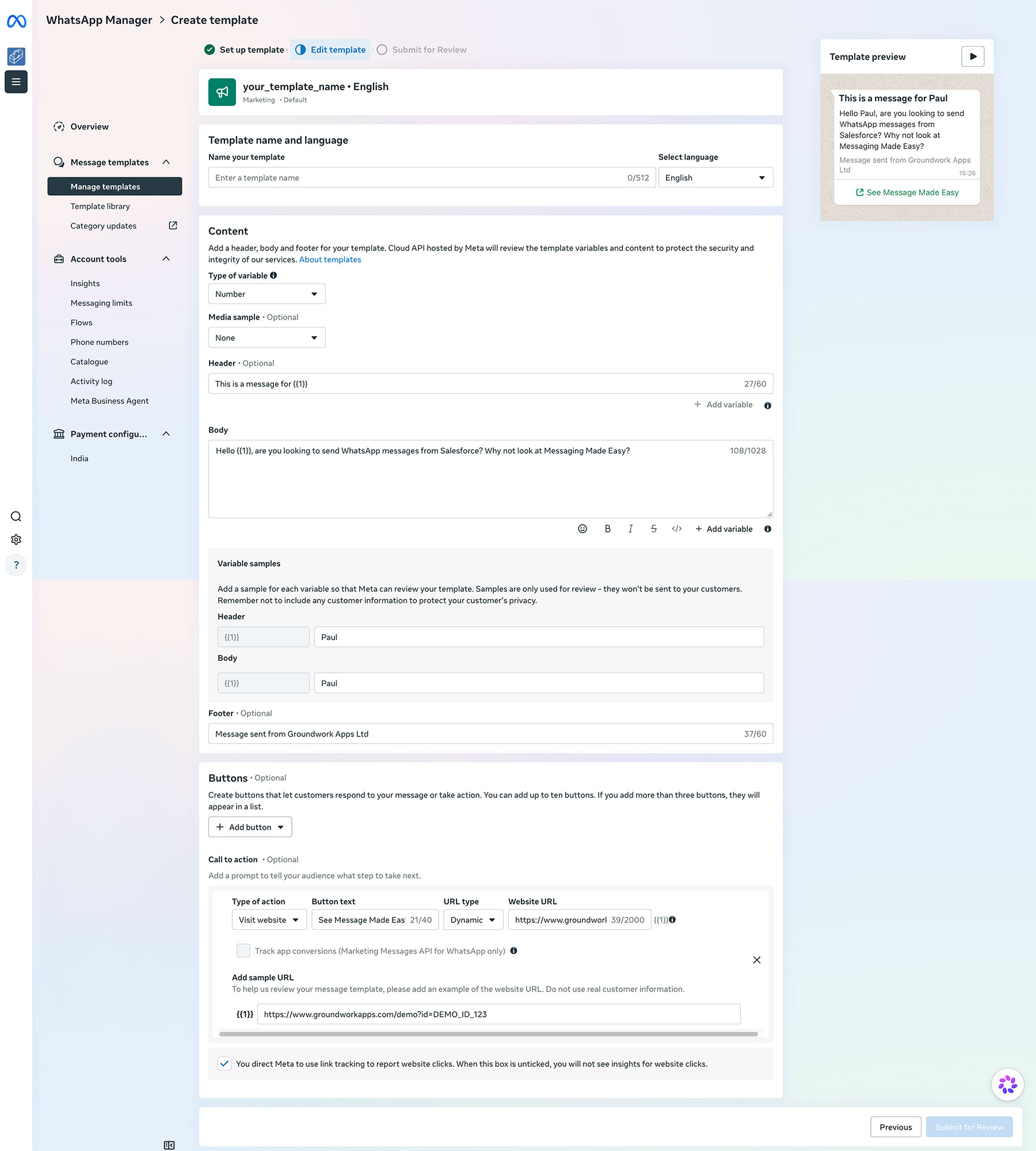
Templates are created in your WhatsApp Business Manager. Below you can see a screenshot of the template manager for building a simple marketing template. You can utilise numbered variables within the template to allow you to dynamically populate the template with data from Salesforce records when sending. You can read Meta's guide to messaging templates with links to the template quality rating documentation here.
Once you have created and submitted your template for approval, Meta will review the template to ensure it does breach the terms of service. You will be notified when the template is approved. Once a template is created you can synchronise your template to Salesforce.
