Yes. Salesforce can send WhatsApp messages through a number of methods; using Salesforce’s own add-on products such as Digital Engagement, using an AppExchange product like Messaging Made Easy, or by developing a custom integration. The best approach for you will depend on the number of users who will be sending and receiving messages as this can impact license costs, which channels you wish to use - WhatsApp only or WhatsApp with SMS, RCS or Viber - and what your business requirements are.


Subject
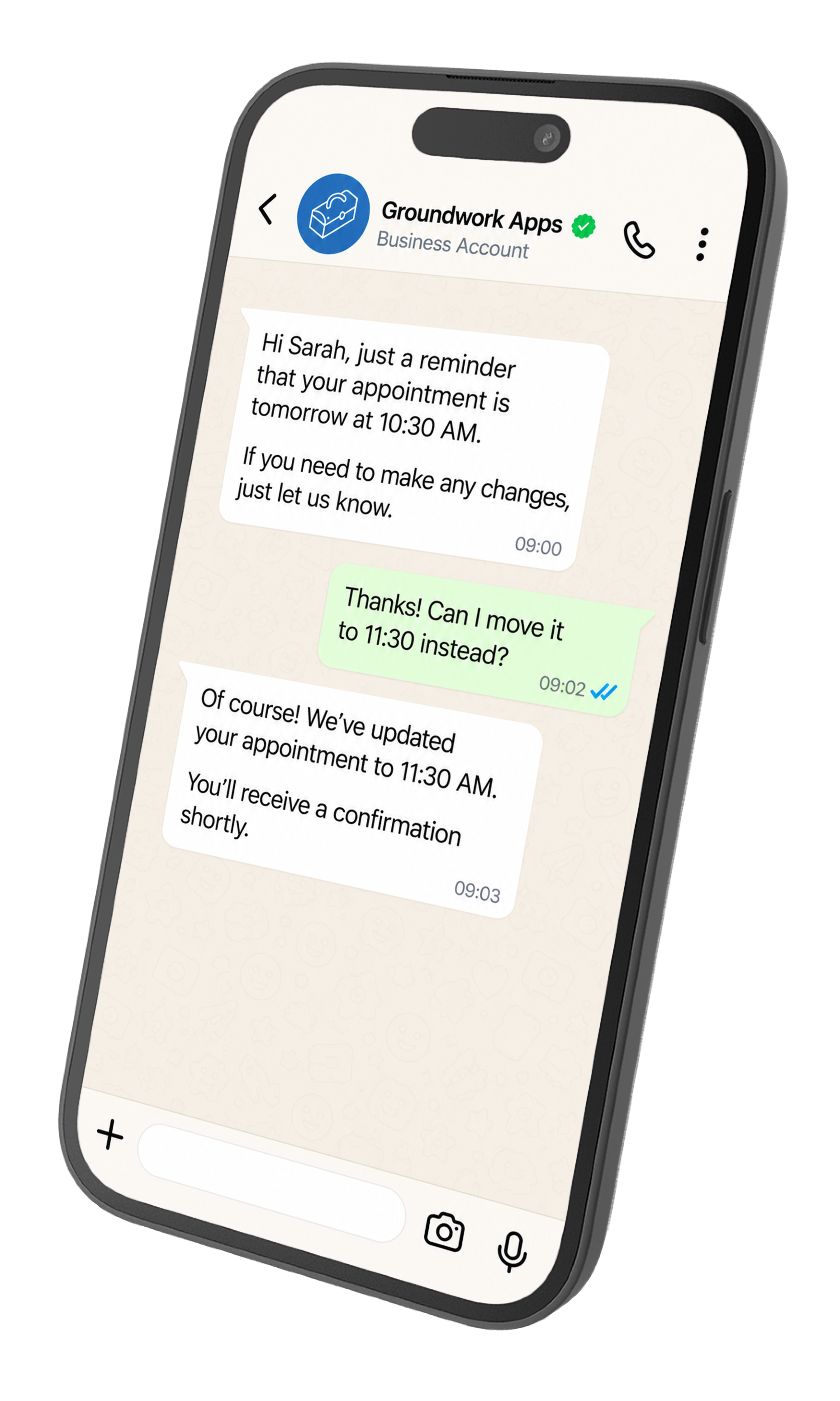
You have all your contact and lead data in Salesforce and you want to be able to communicate with your customers and prospects on the channels they are actually using. Whilst email is great for certain types of communication, WhatsApp offers open rates around 80% within 5 minutes of receipt, and a 98% open rate overall, making it a more appropriate channel for many types of communication. With WhatsApp being the dominant messaging platform in many countries, it makes sense for you to be able to communicate with your customers in WhatsApp, leveraging all the information you have in Salesforce to personalise the engagement, and ensuring that everything is logged in Salesforce for compliance and auditing.
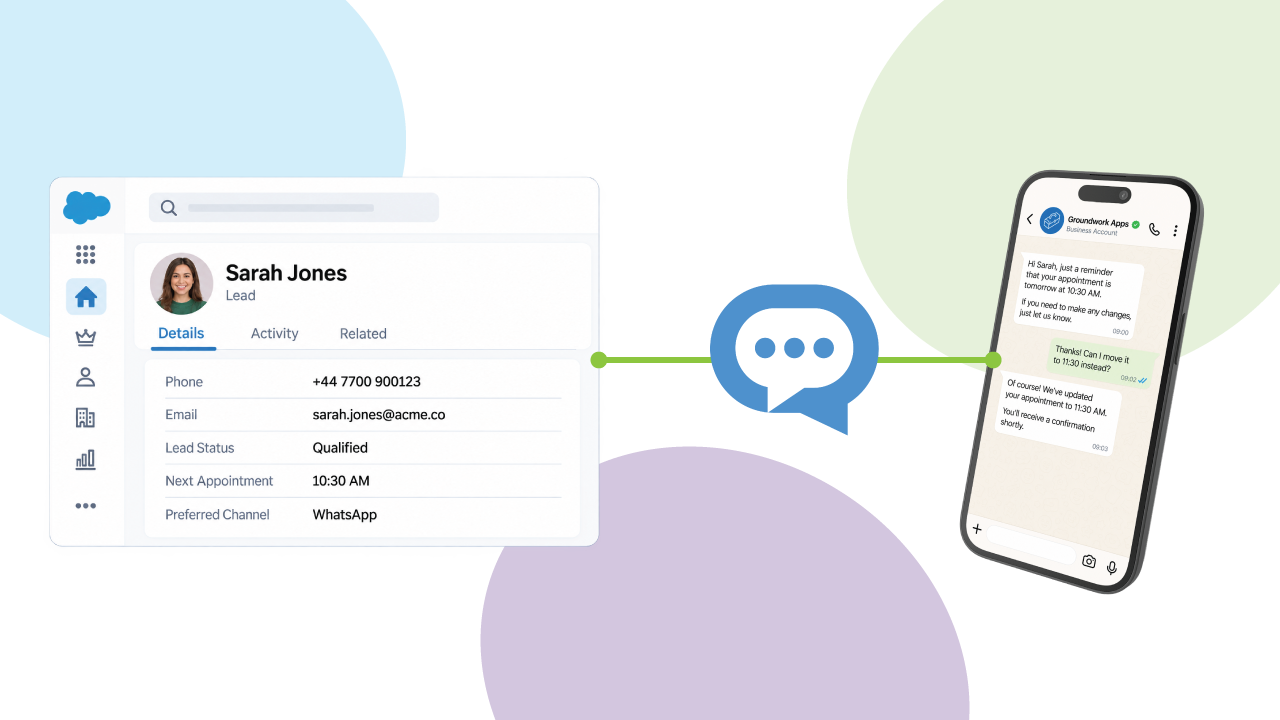
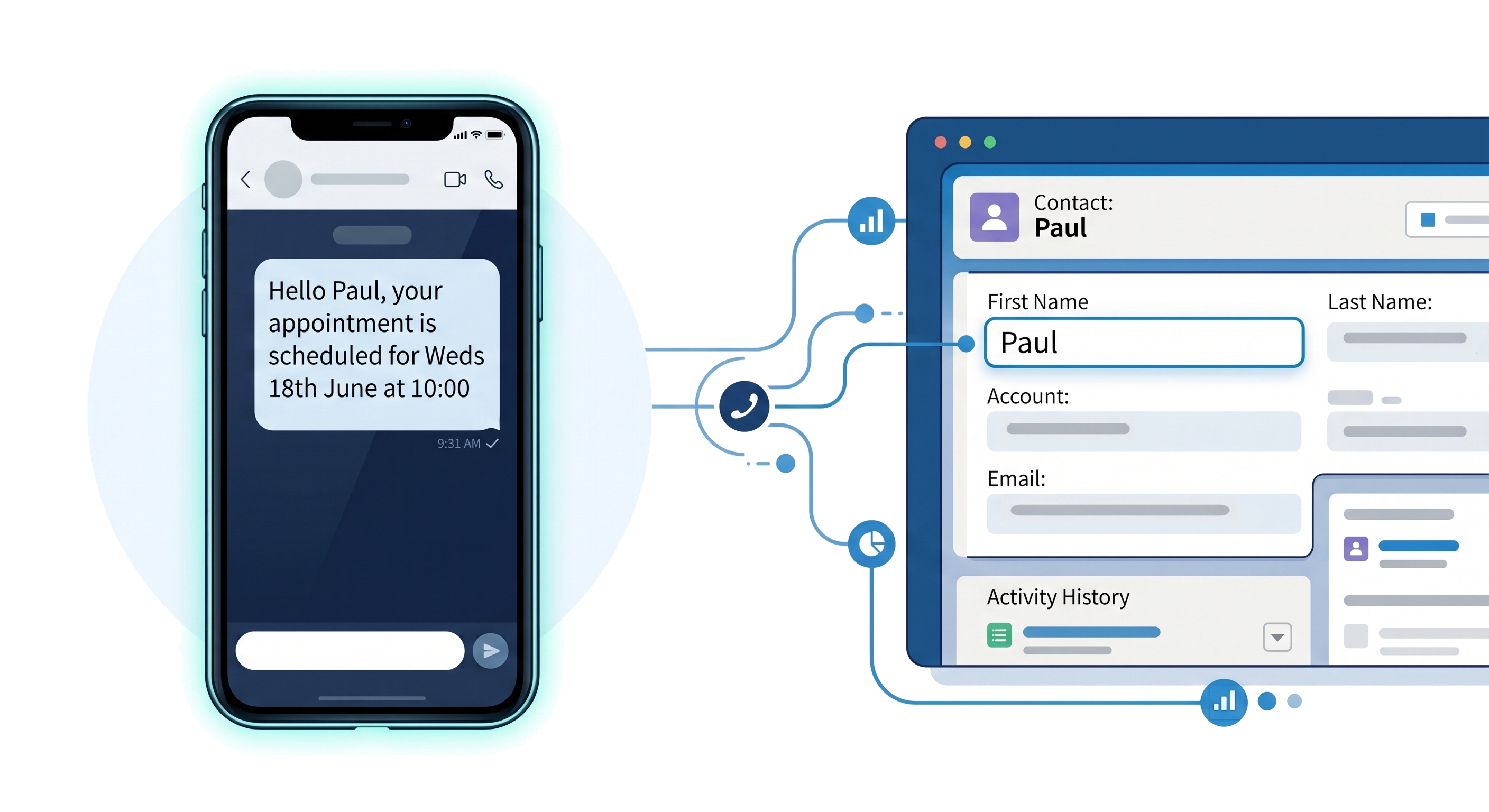
An integration between Salesforce allows you to take an existing record, create a personalised message, automatically send the message based on your business processes defined in Salesforce using tools such as Flow and Apex, log these communications in Salesforce, and handle replies. Meta tightly control the type of messages and content you can send through WhatsApp as a business, with only pre-approved templates able to start conversations, and free form replies available only within a 24 hour window following a message from a customer. Let’s quickly review the types of messages you can send through WhatsApp as a business.
Broadly speaking there are two primary types of message you can send through WhatsApp; templated messages and service reply messages, which are free form. Both of these have different restrictions and use cases which allow you to leverage your Salesforce data through your integration.
Template messages fall into 3 distinct groups - Marketing, Utility, and Authentication.
Marketing messages are templates that allow you to send branded content to customers or prospects marketing your goods or services. A good example here would be sending a marketing message out to all members on a Campaign informing them of your latest promotional offer with a link to order with a special discount code. Using Flow and bulk sending options such as Invocable Actions or Messaging Made Easy’s bulk send wizard, you would select all the Campaign Members, retrieve their phone numbers, pass their data into the template for personalisation, and then send including a personalised link.
Utility templates are used for information such order status tracking and updates. You might use them in a Sales Cloud or Commerce Cloud process to send a message to the customer when their order has been shipped or changes status, again including links to allow them to track the delivery, or update the delivery slot to ensure that delivery will be successful.
Finally Authentication template messages allow you to send one time passcodes through WhatsApp that you can tie back to your Salesforce org. These could be used with Experience Cloud to add two factor authentication to the login process, or within a Service Cloud deployment to add user verification via OTP over the phone.
If a customer messages you, it opens a 24 hour customer service window in which you can reply to them with a free form message called a service message. If they message you again within this window, it resets and rolls on. This message type is really helpful for having conversations with prospects who are interested in talking to a sales rep, or with existing customers to support them. They can also be extremely helpful in managing onboarding of customers, partners, or subcontractors, by requesting they send in documentation and allowing a conversation to occur with them in realtime if the documentation is incorrect or additional information is needed.
Ideally your WhatsApp integration with Salesforce will also allow for you to capture inbound messages from customers to allow you to service their requests. These could be messages about a product or service that they need support with, or a request for more information. Not all integrations have this feature, but having it enabled turns the integration from merely broadcasting to the customer to starting a conversation.
With these restrictions around what can be sent understood, your WhatsApp integration with Salesforce should enable you to send individual, automated, and bulk messages leveraging your existing Salesforce data.
Individual messages will most likely be for utility templates, where there is no expectation of a reply or conversation, authentication templates where there is a one-time code, or service replies where the message being sent is contextualised to that conversation.
Messaging can be automated with most integrations by leveraging either Flow or Apex alongside the integration’s package. A good example of automated messaging is a drip campaign to new Leads based upon their data using Salesforce Flow. When a Lead hits a specific status or rating, then a message can be sent to move them along the drip campaign.
The integration should also enable you to undertake bulk messaging, typically to groups of customers or prospects for marketing purposes. What is important is that the integration works within Salesforce’s Governor Limits to send messages at scale, and that single failures do not block the entire send.
There are three main ways to integrate your Salesforce org with WhatsApp; a Salesforce add-on such as Digital Engagement, an AppExchange/AgentExchange solution such as Messaging Made Easy, or a custom integration through code. All of these options have pros and cons dependent on your specific business requirements and internal capabilities, which we can see at a high-level in the following table.
Salesforce provides WhatsApp functionality through add-on products such as Digital Engagement which add the functionality into the system on a per-user license basis. The out of the box cost for Digital Engagement is £60/$75/€75 per user per month which can become restrictive if working with large teams. You also need to have the correct edition and product supporting this add-on.
After purchasing the add-on you assign the licenses to the required users and setup WhatsApp as a channel in the product you are using. For Service Cloud, this would be a messaging channel in Enhanced Chat/Messaging for in App and Web, for Marketing Cloud it is a channel for sending in journeys.
The Salesforce add-ons make sense when you are looking to have a pre-built product from Salesforce that bolts on to your existing contract and is integrated to a single product or process, for example as a support channel in Service Cloud. If you are wanting to use the product for messaging across multiple clouds, or have a large volume of users then the licensing cost can start to add up. Additionally, the Salesforce products only support certain countries, so you need to ensure that your target market is within this list.
Independent Software Vendor (lSV) Partners such as Groundwork Apps are third party organisations that provide applications that integrate messaging into Salesforce to extend the base functionality of the platform. Typically they allow you to work at the platform layer across one or more products such as Sales Cloud, Service Cloud, and Experience Cloud, with broader support for customisation than would be available with the Salesforce add-ons. Many such as Messaging Made Easy offer channels or region support that Salesforce does not.
These applications can allow you a broader range of functionality than is possible with the Salesforce add-ons, whilst being security reviewed by Salesforce to ensure quality, and with support from the vendor provided. They also offer a variety of pricing models to allow you to choose a model that scales most effectively for you.
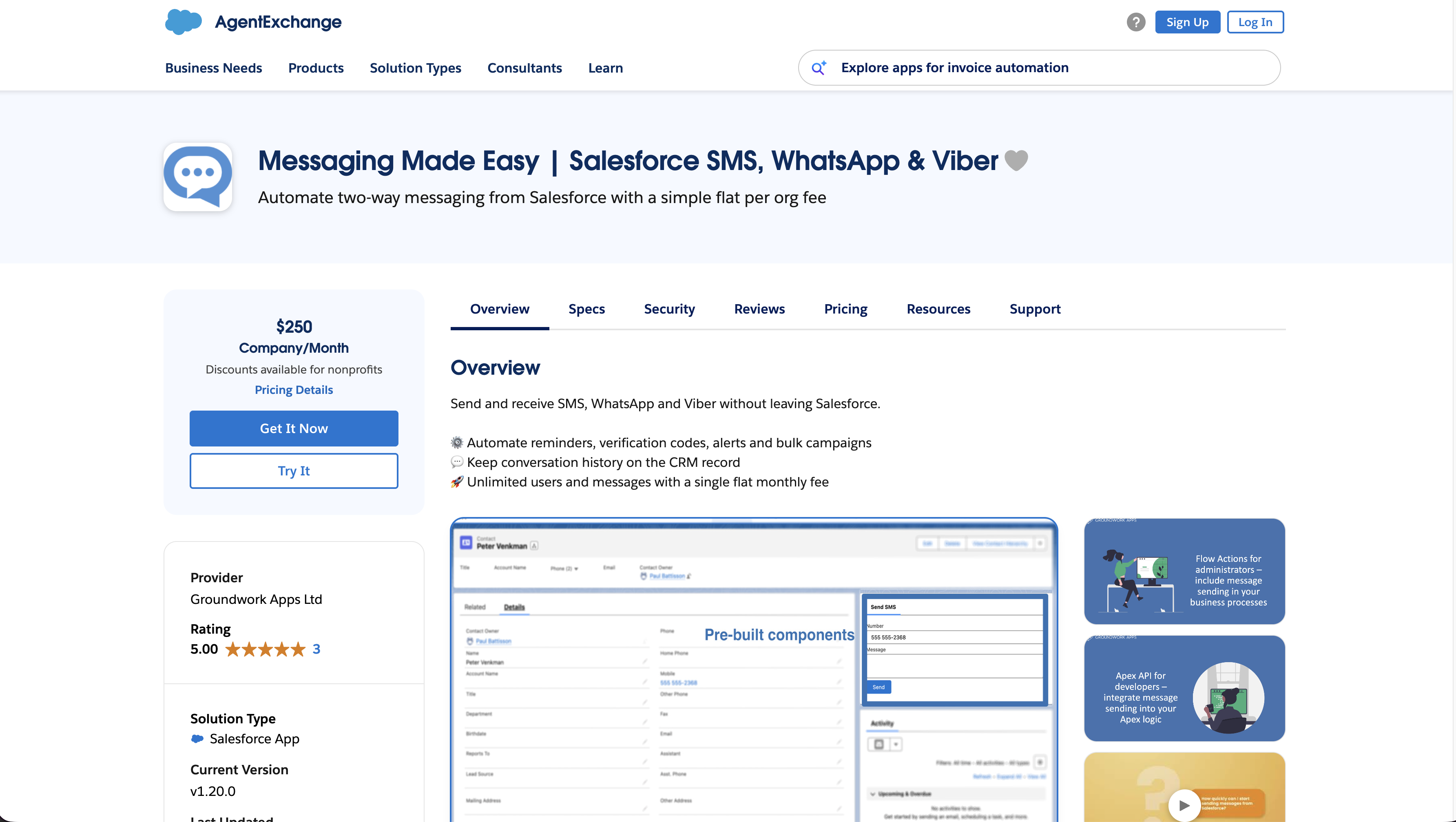
When looking at apps from the AppExchange/AgentExchange, you should check to ensure that the app is regularly updated and read any reviews. Additionally, ensure your use cases, channel, and region are supported, with support that works for your organisation. Finally, pricing should be reviewed in detail, with some vendors offering per user pricing and others per organisation. Messages may be included at a certain rate, and not all vendors offer all channels in all packages.
For example, Messaging Made Easy is a single per organisation fee of £200/€240/$250 per month for unlimited users, and all channels and features. No messages are included in the price, but managed by our messaging partner Messente, to allow customers to get the best volume prices possible without the need for a cut in the middle. For customers with more than 4 users sending messages, or automated messages being sent en masse, this works out cheaper than most options using a per user license such as the Salesforce add-ons.
You always have the option to develop a custom integration to either Meta’s APIs or a their party sender service. This involves, registering your app and business with the service provider, then developing an integration using Apex and Lightning Web Components to send and receive messages. Some key things to consider when developing are:
The main advantage of such an integration is that you can avoid developing anything but your requirements, and if you have very specific needs that other apps do not meet, then you can deliver them. You will however then have to ensure that the application stays up to date with any changes from WhatsApp, such as new compliance rules or message types, as well as just general maintenance. If you have a strong internal engineering team and specific requirements this can definitely be a good option to consider and work out the cost/benefit ratio for compared to the other options.
With WhatsApp integrated into your CRM you can send a variety of different messages for a range of use cases across Salesforce’s different clouds and products. Here are just a few examples.
Some common sales focussed use cases for WhatsApp messages are sending automated messages to follow up with new leads and schedule meetings, or contacting a prospect following a status change. For example, a lead might move to being qualified based on a website visit, so a WhatsApp templated message is sent out offering them the chance to speak to a representative. The prospect then replies, and the sales rep takes over the conversation to close the deal. With a Salesforce integration, you can ensure that the messages are personalised and use your CRM data to guide which template to send at different points depending on the prospect’s data, to maximise your engagement.
Service is a standout use case for WhatsApp messaging with organisations offering WhatsApp as a support channel for customers to contact them on. The ability for service agents to send and receive messages over WhatsApp in realtime, whilst ensuring that the messages are all logged in Salesforce for auditing and compliance. The agent can also see all the relevant customer data alongside the messaging session to ensure that they can provide the best answer to resolve the issue.
With properly obtained consent and an approved template, WhatsApp can be a powerful marketing tool from within Salesforce as you are able to leverage all your existing customer data to send personalised and relevant messages. This could be a seasonal sales campaign, a promotion for a new launch, an announcement for an event, or even a drip campaign to nurture a lead through the pipeline. Having access to your CRM means you can send the right marketing message and personalised codes, links, and offers to your customers and prospects to ensure you can track the results of the campaign more effectively.
WhatsApp messages can be a powerful tool to reduce no shows for events and meetings, especially when these bookings have a cost associated to missing them. For example, a dental office can send reminders about an appointment including links to reschedule the appointment if needed to avoid no shows. A car dealership could send reminders about service bookings to ensure that customers bring their vehicles in on time, and even capture information from the customer such as mileage, any particular issues to look for, and other details in advance, speeding in the booking in process.
Transactional notifications are a useful way of keeping the customer informed on their orders and purchases, to reduce customer support requests. Simply sending an update to the customer when an order moves through the delivery process can reduce the number of queries into your service centre asking “where is my order?” You can even include options to allow delivery rescheduling to reduce delivery failures. You can also use transactional notifications for payment reminders, documentation requests, or changes in an application status, streamlining your processes.
WhatsApp can send one time authentication codes to your customers to allow you to both authenticate and verify them when interacting. This might be as a custom authentication option for Experience Cloud customer users to provide multi-factor authentication, or as a way of verifying a customer’s identity over the phone when on a customer support call.
There are a number of WhatsApp messaging rules you need to be aware of before you can send WhatsApp messages to your contacts and leads from Salesforce, including understanding what types of message you can send when.
Meta constantly reviews the quality of messages being sent by businesses through WhatsApp to ensure that customers are receiving high quality messages that they want to engage with and not just SPAM. You are provided a score based upon the number of messages sent over the past seven days, weighted by recency, with better interactions from users resulting in a higher score. Meta provide some best practices for sending messages which we can see below (taken from Meta’s messaging documentation)
If users block, report, mute, or archive your conversations, these will all impact the quality score, with users asked for a reason when they block you. It is important therefore when planning to send WhatsApp messages from Salesforce that careful attention is paid to the messages being of high quality and relevance for your audience.
Service messages are the only free form message you can send to a customer where the content is not pre-approved. These messages can only be sent within a 24-hour service window from the last message that the customer sent you. This window is updated every time a customer sends a message, to allow you to resolve their issue and keep communication open. Your app or chosen integration should ideally help you manage this window and ensure you are not attempting to send messages outside of it.
WhatsApp messages that are sent outside of the service window must be using an approved template. Within the WhatsApp Business Manager, you can define templates in the categories listed above. Once created, these templates go through a review process with Meta and can only be sent once they reach the “Approved” status. Once a message template has been approved, any changes to it require it to be re-approved, with a limit of 1 approval request per template every 24 hours.
Whilst this goes for any messaging channel, it is important you ensure that anyone you message has opted-in to receiving the messages you are sending and provided their consent. This is a requirement for Meta’s business terms and failure to ensure you have the correct consent will likely lead to more people blocking and reporting your messages, lowering your quality score and possibly banning your account altogether.
The cost of your Salesforce and WhatsApp integration will try depending on the route you take and the licensing model of the product you choose.
Salesforce’s standard solutions are all priced per user per month, with many AppExchange/AgentExchange solutions similarly priced on a per user per month structure. Other applications like Messaging Made Easy charge a per org per month fee or a per org per year fee. Whilst these will seem higher than a single user, if you are working with a large number of users then this can be a lot cheaper for you. For example, Salesforce charges £60/$75/€75 per user per month for Salesforce digital engagement, which above 4 users works out more expensive that the £200/€240/$250 per org per month charged for Messaging Made Easy. Message costs as well need to be factored in, with some solutions bundling messages and others allowing you to buy messages direct from providers. In situations where messages are bundled, it may be worth checking the base message cost from the underlying provider to see if you are paying a markup price for each message sent, and how this scales. Finally, some providers charge differently for the channels used, including certain channels only when a specific tier is purchased. Others like Messaging Made Easy include these all out of the box, but when working out your costs, this is important to be aware of up front.
It is possible for organisations to directly integrate with Meta or a third party provider to connect Salesforce and WhatsApp, however this will have a cost for both the upfront development and ongoing maintenance and management. As a simple calculation, a developer earning $65,000 per year is equivalent to a $250 per day rate. If the development and testing of the solution takes 10 days, that is $2,500 spent before your integration is ready. If they then spend a day per quarter on maintenance, that is another $1,000 per year simply maintaining the application without any new features. If you are an organisation with very specific requirements and an in house development team this can be a good option for you to get the exact setup you need, however the ongoing needs to manage and maintain should be carefully reviewed.
As we have mentioned, solutions that provide WhatsApp on Salesforce can vary greatly in their channel support, pricing, WhatsApp functionality, and level of customisability. For this reason, you should consider more than just headline price when selecting a solution. Here are some areas you might want to consider, and questions you might want to ask.
This is the first and most important thing to understand - what is the licensing structure. Is it per org or per user?
Do I have to purchase a minimum number of number of licenses or agree to a minimum contract length?
What is the cost of each message sent and received and does that discount with volume.
A small charge per message from the provider can add up at scale so it is important to understand what the third party costs are.
Not all users use WhatsApp and having SMS as an option is important. Some providers charge additional costs to enable WhatsApp as a channel so it is best to make sure.
Whilst WhatsApp is a global app some messaging providers and solutions only support specific geographies and territories.
Does the solution support both inbound and outbound messaging or just one-way messaging?
How are templates synchronised and managed within the system and connected to your Salesforce data for personalisation.
Does the app support service messages and honour the 24 hour service window?
Can I have multiple WhatsApp numbers? How are these controlled and how is access to a number managed.
Is the app hosted entirely on Salesforce or is there a third party I have to use?
Does the app support sending messages through Flow invocable actions to work with my custom business processes?
Are both standard and custom objects supported for sending messages?
Is the conversation history logged in Salesforce against the Contact/Lead?
Can I report on the data using the standard Salesforce reports and dashboard functionality?
Does the solution have an Apex API to allow me to further extend the solution if needed?
Are consents and opt-outs managed and customisable within Salesforce?
How are errors handled? How are they logged and reported for viewing? What happens to the messages in a bulk send if one message errors?
Where is data stored and how is it processed? Is the app security reviewed by Salesforce? What accreditations does the messaging sender hold?
How difficult is the product to install and setup? Is an implementation project needed or can I self-serve?
Will be assisted in onboarding with Meta/WhatsApp? Can I use an existing WhatsApp Business account?
Can we self managed the administration in the future and add new templates, numbers, etc?
What are the costs for additional users or teams being onboarded?
If additional phone numbers require adding is there a cost to this?
If additional countries or regions need adding for sending is there any additional cost to configure this?
Does the price for messaging scale as volumes increase?
What is the cost for each channel I wish to use - both per message and is the channel enabled in the app for free or at an additional charge?
What support does the vendor provide?
A real-world example of successfully integrating WhatsApp into Salesforce is EdCo LATAM who use Messaging Made Easy to engage prospective students via WhatsApp. Along with their development partner, Coacto, they developed a series of drip campaigns in Salesforce Flow to engage prospective students on the channel they are using - WhatsApp. Using Messaging Made Easy meant they could slot WhatsApp messaging into their existing processes quickly and easily, with room to experiment and grow. The results? Increased engagement and faster response times from prospective students, reduced manual workload for the team, and improved communication overall through consistent, audited messaging.
Messaging Made Easy is our solution to help organisations send WhatsApp messages quickly and easily. After 16 years across the Salesforce industry running both product and consulting organisations, our CEO and founder Paul set out to create solutions that are quick to install and setup, with flexibility to customise, and with a simple pricing structure, to maximise return on investment for customers. Messaging Made Easy is a native Salesforce application that allows you to send and receive WhatsApp, SMS, and Viber messages from Salesforce, leveraging all your CRM’s existing data.
We partner with Messente, a leading global messaging platform, to allow you to send and receive messages in over 190 countries around the globe, with an industry leading 98% delivery rate. Messaging Made Easy provides you with a set of components, invocable actions, and an Apex API, to allow you to send and receive messages via Messente, letting you leverage all your Salesforce investment alongside Messente’s industry leading platform.
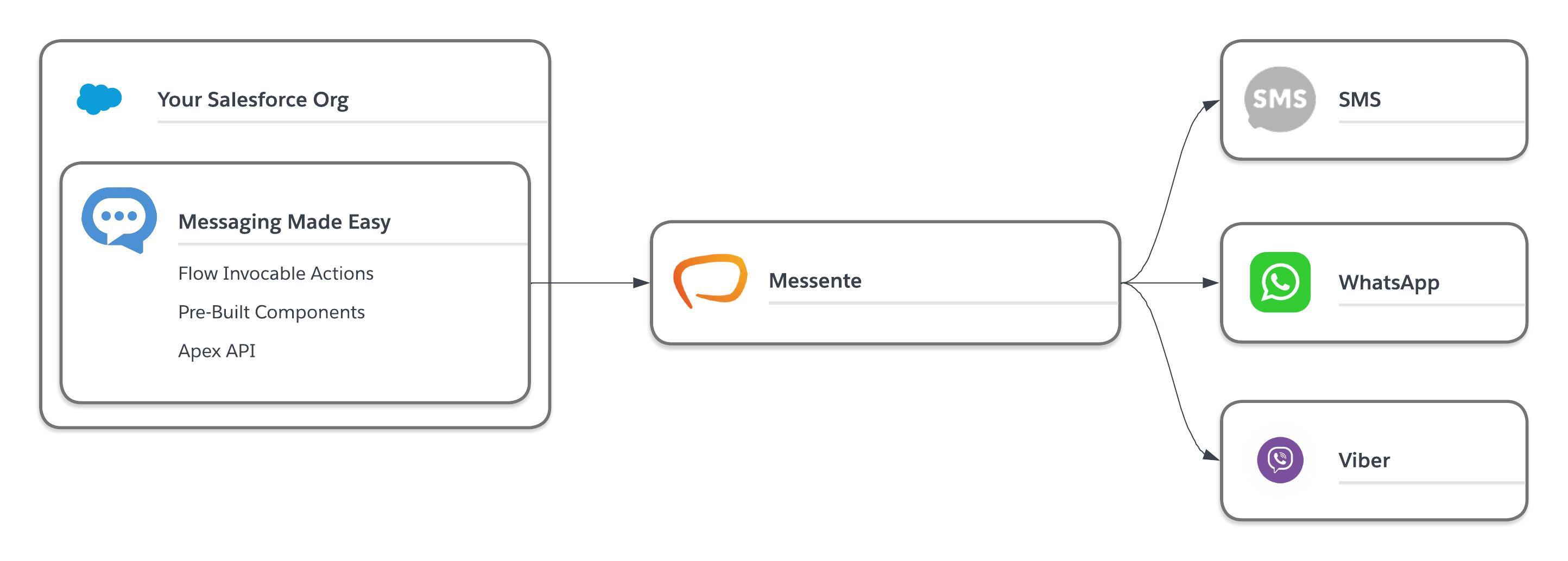
But why should you choose Messaging Made Easy? We have designed our product and pricing from the ground up to give you the maximum value. The Salesforce app has a simple flat monthly fee per org, whilst message costs are agreed with Messente, allowing you to get the best deal on message pricing based on your volume and use cases. All our channels are included out of the box, so there are no hidden fees to upgrade or update. Put simply we aim to make Messaging in Salesforce Easy.
The easiest way to send a WhatsApp message in Salesforce with Messaging Made Easy is using our pre-built chat component or our invocable actions. Simply connect your WhatsApp account to Messente, add your sender information into Salesforce, synchronise your templates, map the parameters, and send. You can then setup delivery reporting or inbound messaging to extend your use case, but with an approved template you can be sending in minutes.
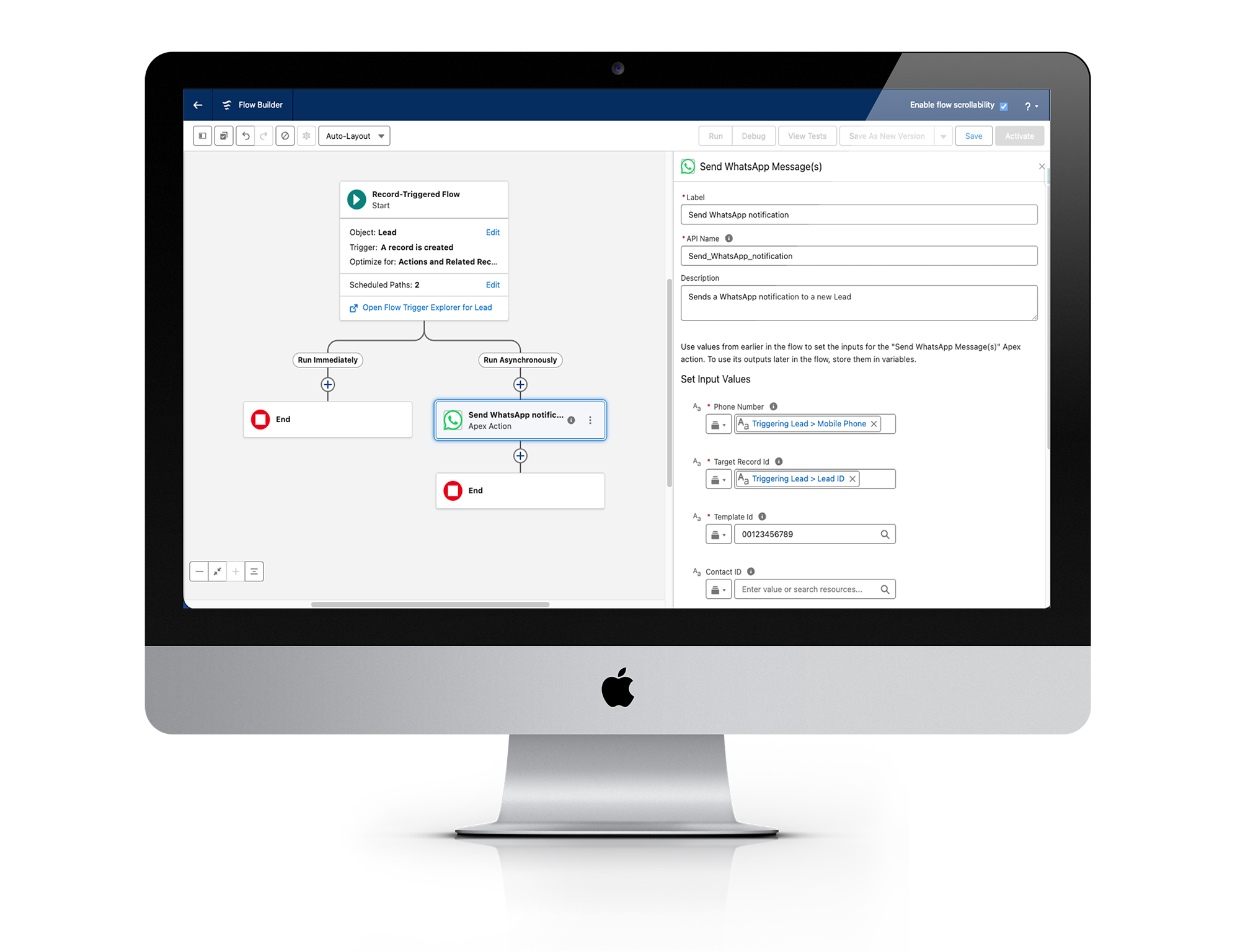
Messaging Made Easy provides an invocable action to allow you to send WhatsApp template messages from Salesforce Flow quickly and easily. A good example is sending a message to a Lead when they reach a “Hot” rating. We simply need to create a Record-Triggered Flow, add the WhatsApp sending action, and that is it!
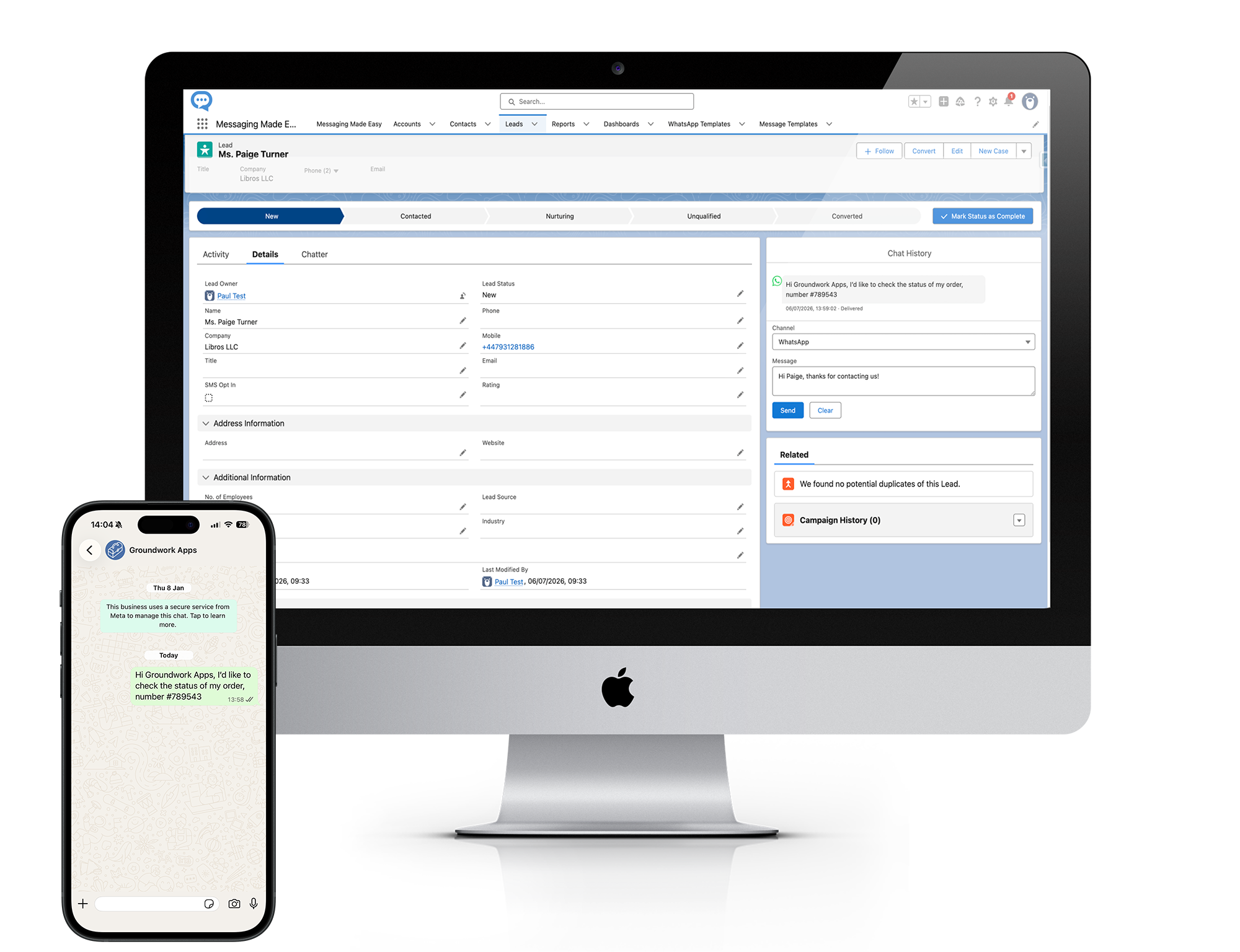
You can have two-way conversations in WhatsApp using Messaging Made Easy by using our pre-built Chat component. The component allows you to have two-way conversations from a record, with the service window recorded and respected to ensure compliance with Meta’s terms and conditions. Simply add the component to the page and when a customer messages in, you can start chatting.
After reviewing the contents of this article you should now be much better placed to assess what option works best for you in sending and receiving WhatsApp messages from Salesforce. It all starts with deciding what integration option is best for your organisation.
Use Salesforce’s own WhatsApp functionality if you are primarily Service Cloud focussed and already have the required Salesforce products. Check to see if your geography is supported and that it will meet your messaging requirements. You should always review your existing Salesforce licenses before looking to add another application on top.
Consider a custom integration if you have truly specialised or unique industry requirements that other solutions don’t seem to meet, and you have the required development resources to build and maintain the integration for compliance with the WhatsApp Business Platform.
Consider an AppExchange/AgentExchange solution if you want to add WhatsApp to yous existing Salesforce setup without building and maintaining the integration yourself. You should ensure you compare solutions based on their Salesforce integration, automation capabilities, channel support, geographical coverage, two-way messaging, pricing, and other requirements covered in this guide.
If you need WhatsApp alongside SMS and Viber, with Salesforce Flow automation, and two-way messaging conversations then why not explore Messaging Made Easy.
Book a Messaging Made Easy demo
We will show you how WhatsApp works with Salesforce and discuss whether Messaging Made Easy fits your requirements.
Yes. Salesforce can integrate with WhatsApp using Salesforce's own WhatsApp functionality, a third-party Salesforce application such as Messaging Made Easy, or a custom integration with the WhatsApp Business Platform. The best approach depends on your Salesforce products, required messaging capabilities, budget and whether you need additional channels such as SMS. You can review all the options here.
To send WhatsApp messages as a business you will need to register a WhatsApp business account with Meta and ensure you follow the WhatsApp business policies. You will also need to create and submit your templates for approval before they can be sent.
Salesforce Flow can send WhatsApp messages when using a solution like Messaging Made Easy that provides invocable actions for you to utilise. This allows messages to be triggered by events such as record changes, time-based actions, or status updates, as well as through screen based Flows.
Depending on the integration path you choose you can send WhatsApp messages from any standard or custom object. Some platforms like Messaging Made Easy tie the message back to a Contact or a Lead for consent management purposes, but the data to populate a template can come from any custom or standard object.
Salesforce can be used to send WhatsApp messages to multiple recipients when the chosen integration supports bulk messaging. However, WhatsApp is not an unrestricted bulk-messaging channel. Business-initiated conversations generally need to use approved templates, recipients need the appropriate consent, and messages must comply with WhatsApp's policies.
Customers can reply to WhatsApp messages sent from Salesforce but your solution and setup must be configured to support inbound messaging through a webhook connected to Meta. Two-way conversations require a customer to initiate a service window allowing you to send free form messages and not just one-way template messages.
The cost depends on the integration approach you choose. You may need to account for Salesforce licences or add-ons, application licence fees, WhatsApp/provider messaging charges and implementation costs. Third-party applications may charge per user, per organisation or using another licensing model, so comparing total cost rather than just the application price is important. Messaging Made Easy has a flat fee of £200/€240/$250 per org per month with message costs directly agreed with Messente.